Outdated information
Static lists become unreliable as bookings are added, changed or released throughout the week.
BUILT FOR WORKPLACE PARKING
Replace spreadsheets and manual parking coordination with a simple reservation system built for office parking.
Workplace reservations—not a public parking marketplace
MORE THAN A SHARED LIST
A spreadsheet can list parking spaces, but it is not a live booking experience. As people edit rows, post messages and change plans, employees stop knowing which view is current. Workplace teams then become the human connection between every request and every available bay.
Static lists become unreliable as bookings are added, changed or released throughout the week.
A parking request sent by email still needs someone to review, record and confirm it.
Manual records make it harder to see bookings by user, space, date and current status.
ONE PLACE. ONE CURRENT VIEW.
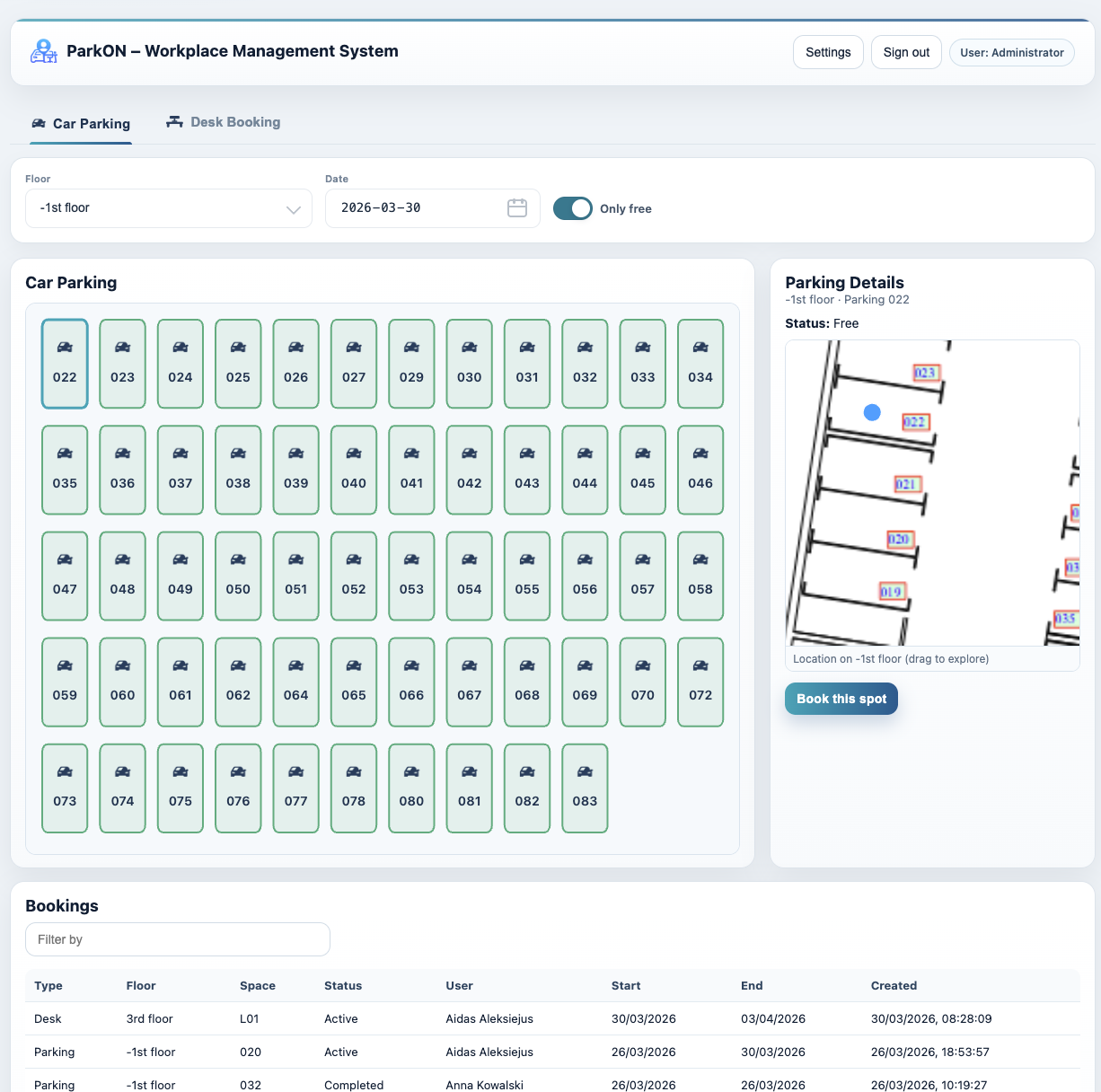
ParkON is parking booking software for companies, offices, business centres and hybrid workplaces. Employees choose a date, view available company parking and reserve a specific space. Administrators configure parking layouts, manage user access and review reservations. It is designed for shared employee parking—not for finding or paying for public street parking.
HOW PARKON WORKS
Three clear steps. No side spreadsheets or message threads.
Administrators add parking floors, spaces and a visual layout that reflects the real site.
Staff choose a date, see spaces available to them and confirm the specific space they want.
Employees can review or release bookings, while administrators can see reservations across the workplace.
BUILT AROUND THE WORKDAY
Good workplace parking reservation software needs to be simple enough for a quick employee booking and structured enough to give administrators dependable control.
Move from manually edited rows to reservations connected directly to dates, users and spaces.
Staff can check availability and make their own booking instead of sending a request.
Administrators can review booking details, status and who reserved each workplace space.
Separate floors, named spaces and map views help the software reflect the real parking facility.
A PRACTICAL EXAMPLE
A business centre manages parking for several office teams. Rather than maintaining a spreadsheet and confirming requests by email, the centre configures its parking spaces in ParkON. Authorized employees can reserve available bays before they arrive, and administrators retain one clear operational view of bookings and capacity.
Parking reservation software lets people view available parking and book a space for a date or time. In a workplace, it also gives administrators tools to configure spaces, manage access and see reservations.
ParkON is designed primarily for workplace and employee parking rather than consumer street-parking discovery or public parking payments.
Yes. Employees can view available workplace parking spaces and select a specific space for their reservation.
Yes. ParkON provides a live reservation workflow, employee self-service and administrator visibility, removing the need to coordinate the same bookings in a separate spreadsheet.
PARKING, PLANNED
See how ParkON fits your workplace parking.